60" Abbeywood
Use the tabs below for fan information and for troubleshooting guidance.
Need customer service support? Submit a Ticket
Identification
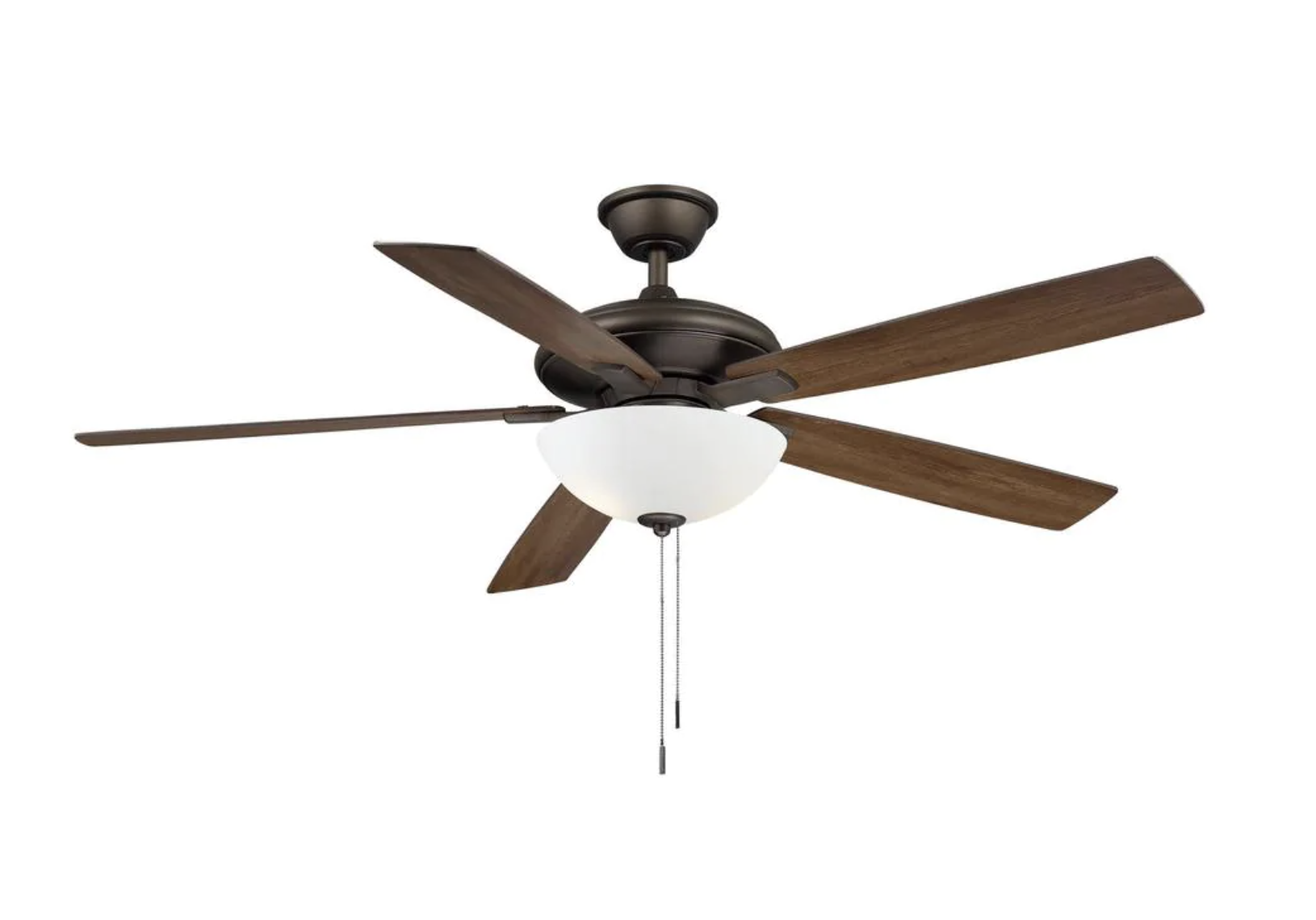
BRUSHED NICKEL FINISH · Model # YG882A-BN · SKU # 1005077588 · UPC # 840059601342 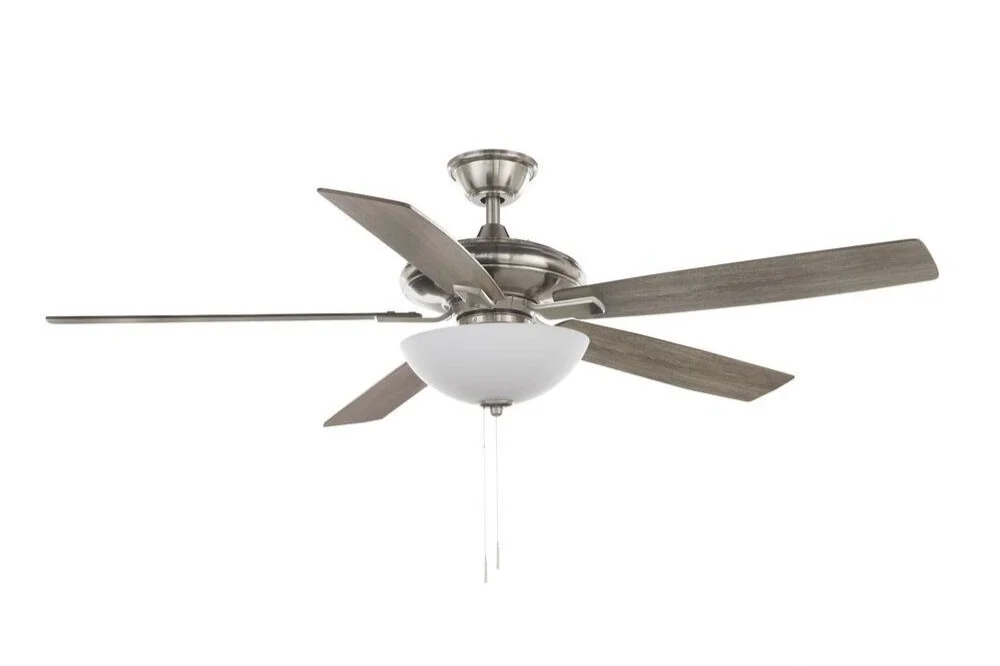 | ESPRESSO BRONZE FINISH · Model # YG882A-EB · SKU # 1005077720 · UPC # 840059601366
 |
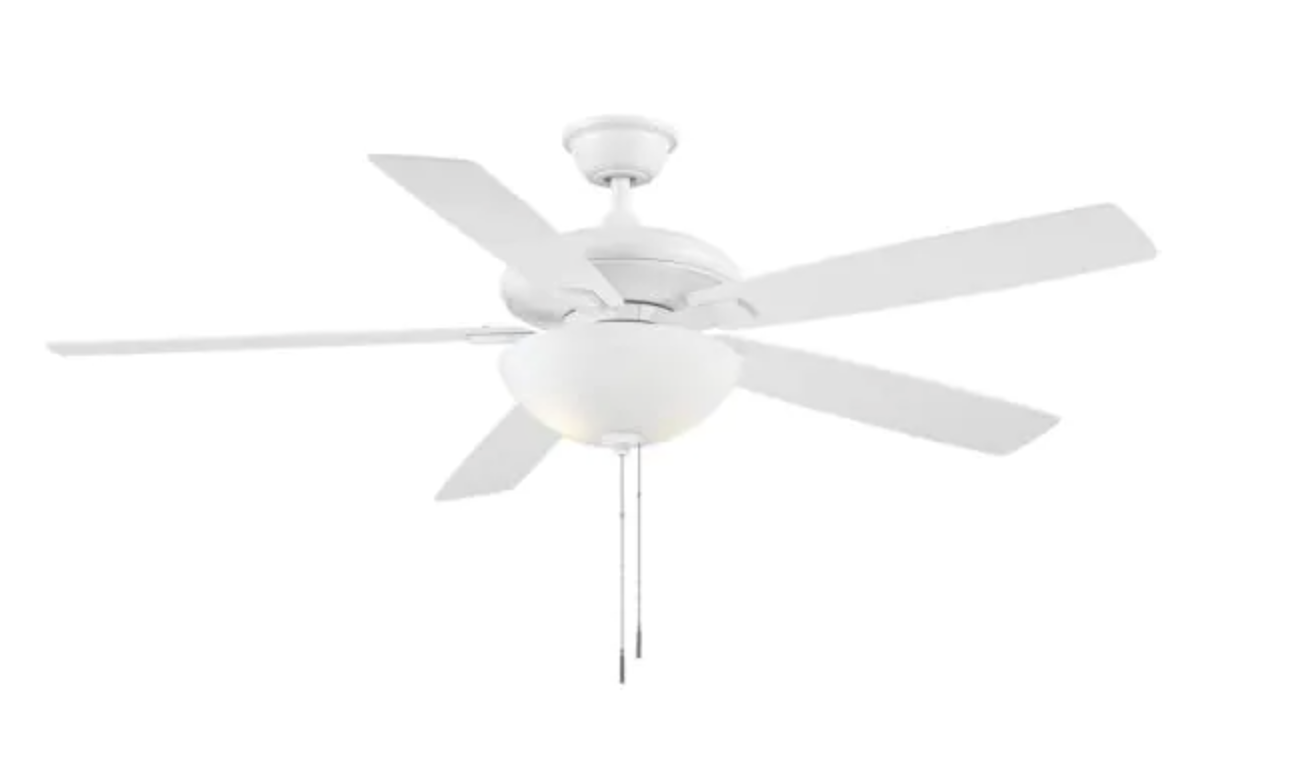
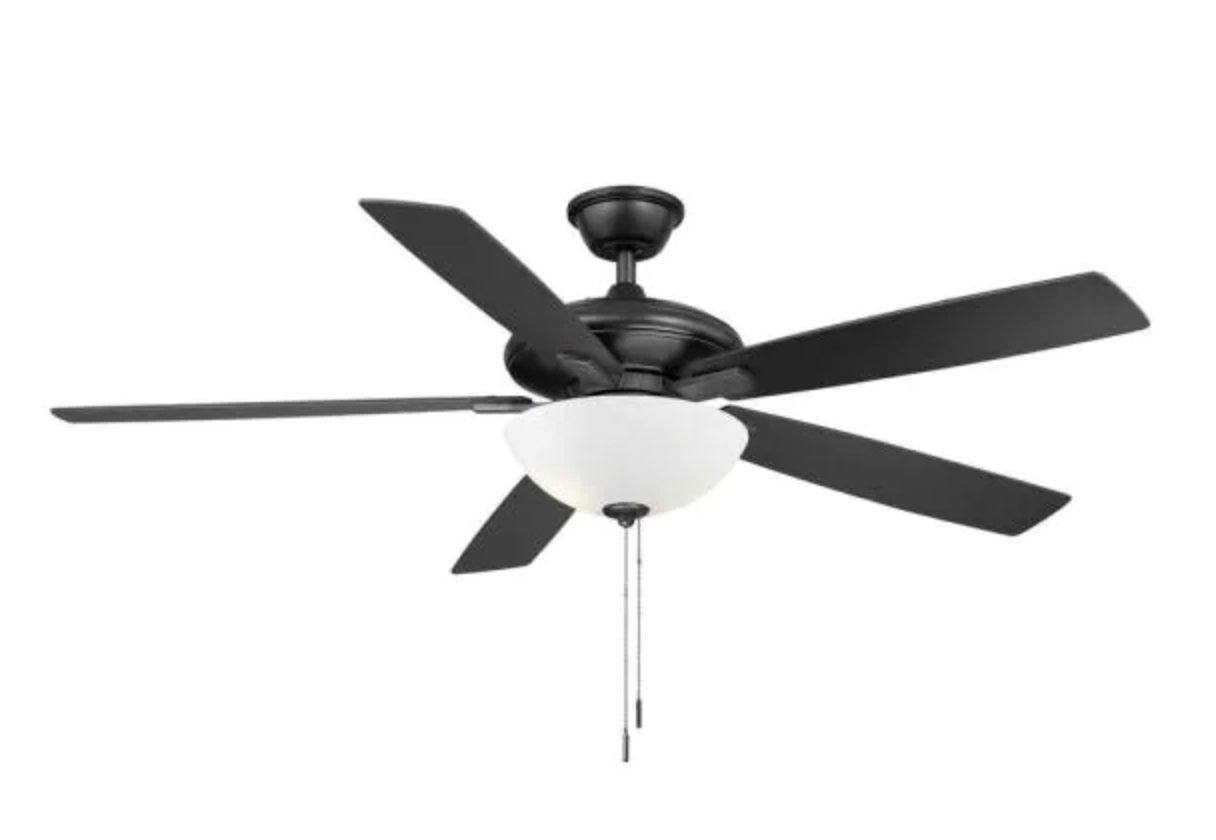
MATTE BLACK FINISH · Model # YG882A-MBK · SKU # 1005077722 · UPC # 840059601359 | MATTE WHITE FINISH · Model # YG882A-MWH · SKU # 1005077608 · UPC # 840059601373
 |
Warranty Terms
Requirements
- Must Present Proof of Purchase (Receipt or Invoice)
- Must be Purchased from The Home Depot
- Must be the Original Purchaser
- Must be in Original Country of Purchase
- Must Present Proof of Purchase (Receipt or Invoice)
- Must be Purchased from The Home Depot
- Must be the Original Purchaser
- Must be in Original Country of Purchase
Motor Warranty: Lifetime
- Electronics and control devices such as capacitors, switches, and receivers are not part of the motor warranty.
- Fan motor warranty must be mailed to the TAL service center for repair with approval from customer service and a signed service agreement form.
- Replacement motors are not sent under the lifetime warranty.
- Customer is responsible for shipping the motor to the service center. Return shipping after repair is covered.
- Installation or labor costs are not covered.
- Damage from misuse or accident will void the warranty.
Parts Warranty: 1 Year
- Glass and blades are only covered if they arrived damaged in the original box.
- Rust/corrosion is not covered.
- Installation or labor costs are not covered.
- Damage caused by misuse, accidents, improper installation, or modifications is not covered.
Full Warranty Terms:

We warrant the fan motor to be free from defects in workmanship and material present at time of shipment from the factory for a period of lifetime after the date of purchase by the original purchaser. We also warrant that all other fan parts, excluding any glass or acrylic blades, to be free from defects in workmanship and material at the time of shipment from the factory for a period of one year after the date of purchase by the original purchaser. We agree to correct such defects without charge or at our option replace with a comparable or superior model if the product is returned. To obtain warranty service, you must present a copy of the receipt as proof of purchase. All costs of removing and reinstalling the product are your responsibility. Damage to any part such as by accident, misuse, improper installation or by affixing any accessories, is not covered by this warranty. Because of varying climatic conditions this warranty does not cover any changes in brass finish, including rusting, pitting, corroding, tarnishing or peeling. Brass finishes of this type give their longest useful life when protected from varying weather conditions. A certain amount of “wobble” is normal and should not be considered a defect. Servicing performed by unauthorized persons shall render the warranty invalid. There is no other express warranty. We hereby disclaim any and all warranties, including but not limited to those of merchantability and fitness for a particular purpose to the extent permitted by law. The duration of any implied warranty which cannot be disclaimed is limited to the time period as specified in the express warranty. Some states do not allow limitation on how long an implied warranty lasts, so the above limitation may not apply to you. The retailer shall not be liable for incidental, consequential, or special damages arising out of or in connection with product use or performance except as may otherwise be accorded by law. Some states do not allow the exclusion of incidental or consequential damages, so the above exclusion or limitation may not apply to you. This warranty gives specific legal rights, and you may also have other rights which vary from state to state. This warranty supersedes all prior warranties. Shipping costs for any return of product as part of a claim on the warranty must be paid by the customer.
Installation
A digital copy of the owner's manual is attached to this webpage. Scroll down to the bottom of this page to find the attachments.
Product Specifications
- Installation Locations: Indoor Only
- Motor: AC Motor
- Operation: Pull Chain
- Electrical: 3 Speed Capacitor
- Light Type: 9.5w LED Bulb | Non-Dimmable | 800 Lumens | Color Temperature: 2700k | E26 Medium Base | 2 Bulbs Total
- Compatible with E26 Medium Base LED Bulbs (Cannot Exceed 60 Watts Each)
- Downrod: Non-Threaded Rod with Aluminum Ball | 4.5” Long | ¾” Interior Diameter | 1” Exterior Diameter
- Compatible with longer universal downrods (Non-Threaded with ¾” Interior Diameter / 1” Exterior Diameter)
- Canopy: 6.5” Diameter
- Assembled Height With Light Kit: Downrod Installation: 17.7" | Flushmount Installation: 13.2"
- Assembled Height Without Light Kit: Downrod Installation: 13.35" | Flushmount Installation: 8.85"
- Motor Lead Wire Length: 78 Inches
- Switch Housing Diameter: 5 Inches
Troubleshooting: Noise Issues
Buzzing/Humming Noise Checklist
Example Videos
- Check Installation
- Verify that the fan was installed as shown in the owner’s manual or installation video.
- Verify the fan was installed indoors. This fan cannot be installed in any type of outdoor space.
- Check Control Devices
- Verify a dimmer switch is not being used to control the fan speeds.
- If a dimmer switch is in use, verify it is only wired to the blue wire for light power and that dimmable LED bulbs are installed (the included bulbs are not compatible with dimmers).
- If a universal remote or wall control is in use, it will need to be bypassed to rule it out as the source of the problem.
- Check Ceiling
- With the downrod installed, the fan cannot be installed on a ceiling with slope over 18 degrees.
- When flush-mounted without the downrod, the fan cannot be installed on a ceiling with any degree of slope (must be level).
- Check Power Supply
- Verify that the fan is connected to US standard 120 volts/60 hz AC power.
- Check Screws
- Verify that all screws are tightened properly; loose screws on the light kit or motor housing will vibrate and cause a humming noise.
- Check Loose Parts
- Verify that the light kit and glass (if applicable) are properly tightened.
- Customer Service
- If checklist items have not resolved the issue, submit a ticket for further assistance and replacement parts from customer service.
- Attaching a video of the noise to your ticket will help customer service assist you further.
- A defective capacitor (part of the switch housing) is the most likely culprit for humming/buzzing noise issues.
Knocking/Grinding Noise Checklist
Example Videos
- Check Gaps
- Check for loose packing materials or other objects between the blades, light kit, and motor housing.
- Gently spin the blades by hand to get a close look and see if they are grinding on any parts of the fan body.
- Check Ceiling
- With the downrod, the fan cannot be installed on a ceiling with slope over 18 degrees.
- When flush-mounted without the downrod, the fan cannot be installed on a ceiling with any degree of slope (must be level).
- Check Screws
- Verify that all screws are tightened properly; loose screws on the light kit or motor housing will vibrate and cause a humming noise.
- Check Installation
- Verify that the fan was installed as shown in the owner’s manual or installation video.
- Verify the fan was installed indoors. This fan cannot be installed in any type of outdoor space.
- Break-In Fan
- If noise is light or mild and the fan is a new installation, allow the fan to run for 24 hours to break in the bearings.
- Customer Service
- If checklist items have not resolved the issue, submit a ticket for further assistance and replacement parts from customer service.
- Attaching a video of the noise to your ticket will help customer service assist you further.
Troubleshooting: Fan Issues
Fan is Running Slow or Does Not Turn On
- Check Installation
- Verify that the fan was installed as shown in the owner’s manual or installation video.
- Verify the fan is installed indoors. This fan cannot be installed in any type of outdoor space.
- Check Power
- Ensure power is on at the wall switch and breaker.
- Ensure fan is installed on a US standard 120v/60hz AC power supply.
- Check Pull Chains
- Ensure the fan speed pull chain is pulled all the way down and clicks when operating.
- If the pull chain gets stuck or does not pull down, it may be defective and will require replacement.
- Check Control Devices
- Verify a dimmer switch is not being used to control the fan speeds, the dimmer switch is only compatible with the light wire.
- If a universal remote or wall control is in use, it will need to be bypassed to rule it out as the source of the problem.
- Check Wiring
- Ensure AC power is off at the breaker before inspecting electrical connections.
- Verify that the ceiling connections are properly connected and done as shown in the owner’s manual.
- Verify the connections have not been pulled out of their wire nuts.
- In particular, check the black wire (it supplies power to the motor) from the fan motor to the ceiling box.
- Verify that the plugs connecting the switch housing to the motor are fully clasped together, wires are not pinched, and pins have not been pushed out of the connectors.
- Check Reverse Switch
- Ensure the reverse slider switch is pushed all the way in either direction.
- If the switch is left near the center, the fan will have a difficulty starting up and running (or not turn on at all).
- If the fan only spins in one direction but will not move when the reverse switch is changed to the other direction, the reverse switch (part of the switch housing) is the most likely culprit.
- Customer Service
- If checklist items have not resolved the issue, submit a ticket for further assistance and replacement parts from customer service.
- A defective capacitor (part of the switch housing) is the most likely culprit for fan function issues.
Fan has Low Airflow
- Blade Direction
- Ensure the fan is set to the correct direction using the reverse switch on the switch housing.
- Counter-clockwise for forward/downward airflow (summer mode).
- Clockwise for reverse/upward airflow (winter mode).
- Blade Height
- Ensure the fan blades are between 7ft – 9 ft from the floor for optimal airflow.
- If the fan is installed too high, airflow will be reduced, and you will need a longer downrod (purchased separately) to lower the fan.
- Fan Speed
- Ensure the fan is set to the highest fan speed for maximum airflow. Test the fan at each speed to ensure you are selecting the highest one.
- If the fan appears to be running slower than usual, follow the “Fan is Running Slow” checklist above.
Fan is Wobbling
- Check Screws/Loose Parts
- Verify that all screws are tightened properly; loose screws on the coupling cover, downrod, or hanger bracket can cause wobble.
- Verify that the light kit and glass (if applicable) are properly tightened.
- Check Blades
- Verify that the blades are level with each other and are not warped.
- Remove the blades and stack them on top of each other to ensure they are all straight.
- When installed, the blades should “click” into place on the blade arm posts.
- Check Blade Arms
- Run the fan without the blades to see if wobble persists with the blade arms.
- If wobble stops, you may need a balancing kit.
- If wobble continues, remove the blade arms and run the fan again without them.
- If wobble stops, you may need a set of blade arms or a balancing kit.
- Customer Service
- If checklist items have not resolved the issue, submit a ticket for further assistance and replacement parts from customer service.
- Attaching a video of the fan wobble with and without the fan blades to your ticket will help customer service assist you further.
Troubleshooting: Light Issues
Light Does Not Turn On, Is Dim, or Flickers
- Check Power
- Ensure power is on at the wall switch and breaker.
- Ensure fan is installed on a US standard 120v/60hz AC power supply.
- Check Pull Chains
- Ensure the light pull chain is pulled all the way down and clicks when operating.
- If the pull chain gets stuck or does not pull down, it may be defective and will require replacement.
- Check Control Devices
- If a dimmer switch is in use, ensure you have dimmable bulbs installed (the included bulbs are not dimmable). Ensure you’ve tested the dimmer switch on all brightness settings. Ensure the dimmer switch is only wired to the light wire (blue) and not the fan speed wire (black).
- If a universal remote or wall control is in use, it will need to be bypassed to rule it out as the source of the problem.
- Check Wiring
- Ensure AC power is off at the breaker before inspecting electrical connections.
- Verify that the ceiling connections are properly connected and done as shown in the owner’s manual.
- Verify the connections have not been pulled out of their wire nuts.
- In particular, check the blue wire (powers the light) from the fan motor to the ceiling box.
- Verify that the plugs connecting the switch housing to the motor, and the two plugs for the light kit in the switch housing are fully clasped together, wires are not pinched, and pins have not been pushed out of the connectors.
- Check Bulbs
- Verify that the bulbs have not burnt out and that they are compatible with the light kit (if purchased separately). Bulbs should be E26 base and should not exceed 60 watts each.
- If only one of the two bulbs is not working, try trading their sockets to see if the bulb is defective or the socket it is attached to is defective.
- Customer Service
- If checklist items have not resolved the issue, submit a ticket for further assistance and replacement parts from customer service.
- A defective light kit is the most likely culprit for light issues that affect both bulbs at the same time, or for single socket issues that do not resolve even by installing new bulbs.
Troubleshooting: Fan & Light Issues
Fan and Light Do Not Turn On
- Check Power
- Ensure power is on at the wall switch and breaker.
- Ensure fan is installed on a US standard 120v/60hz AC power supply.
- Check Pull Chains
- Ensure the pull chain is pulled all the way down and clicks when operating.
- If the pull chain gets stuck or does not pull down, it may be defective and will require replacement.
- Check Control Devices
- Verify a dimmer switch is not being used to control both the fan and the light, the dimmer switch is only compatible with the light wire. If both the fan and light are wired to a single dimmer switch the fan may not work correctly.
- If a universal remote or wall control is in use, it will need to be bypassed to rule it out as the source of the problem.
- Check Wiring
- Ensure AC power is off at the breaker before inspecting electrical connections.
- Verify that the ceiling connections are properly connected and done as shown in the owner’s manual.
- Verify that the connections have not been pulled out of their wire nuts.
- Verify that the plugs connecting the switch housing to the motor are fully clasped together, wires are not pinched, and pins have not been pushed out of the connectors.
- Customer Service
- If checklist items have not resolved the issue, submit a ticket for further assistance and replacement parts from customer service.
Replacement Parts Guides
Related Articles
72" Kensgrove II
Use the tabs below for fan information and for troubleshooting guidance. Need customer service support? Submit a Ticket Identification BRUSHED NICKEL FINISH · Model # N608-BN · SKU # 1008622049 · UPC # 840059610771 MATTE BLACK FINISH · Model # ...44" Hugger
Use the tabs below for fan information and for troubleshooting guidance. Need customer service support? Submit a Ticket Important: The Hugger had a revision in 2026 to its light shade design. Check the Version tab to confirm if you have the previous ...60" Kensgrove II
Use the tabs below for fan information and for troubleshooting guidance. Need customer service support? Submit a Ticket Identification BRUSHED NICKEL FINISH · Model # N608A-BN · SKU # 1008749725 · UPC # 840059615189 MATTE BLACK FINISH · Model # ...60" Tager
Use the tabs below for fan information and for troubleshooting guidance. Need customer service support? Submit a Ticket Identification Differences Between Versions US: No Safety Cable and No Wood Mounting Screws. CANADA: Safety Cable from Motor and ...72" Tager
Use the tabs below for fan information and for troubleshooting guidance. Need customer service support? Submit a Ticket IMPORTANT: The 72" Tager had a revision to the remote and receiver in 2026. Other blade span sizes were not affected. You MUST ...